 Table of Content
You’re probably here because you’ve seen a Kling-generated video somewhere - maybe a Cannes-winning ad, maybe a clip on Amazon Prime - and you want to know if the tool behind it is actually worth your time.
Short answer: yes, with a few caveats worth knowing before you spend a single credit. This review covers what Kling AI actually does well, where it still struggles, what it costs in real terms, and how it compares to the other names you’ve probably already tried.
What is Kling AI?
Kling AI is a video and image generation platform built by Kuaishou, the company behind the short-video app Kwai.
Kling puts everything in one studio. You can generate video from text or images, edit images at native 4K, and plan multi-step projects with an agent called Canvas. If you need volume, the MCP/CLI integration lets you automate production. That last part matters more than most reviews give it credit for - it’s the difference between a toy and a tool teams can actually build pipelines around.
Kling AI’s Key Features
Kling 4.0 - Video Generation and Motion
Kling 4.0 is the current flagship video model, and the headline claim is “audio-visual performance for realistic results.” In practice, that means stable, dynamic motion and synced audio generation in the same pass - you’re not bolting sound onto silent footage afterward. Motion realism has been Kling’s calling card since earlier versions, and 4.0 pushes it further, particularly with crowd and human movement, which is historically where AI video tools fall apart.
Kling Image 3.0 - Native 4K Image Generation
Image 3.0 generates natively at 4K, not upscaled after the fact, and it’s built specifically around cinematic storytelling - meaning it understands framing and visual language the way a director would, not just “pretty picture” generation. It also supports series image generation, so you can produce a coherent set of images that share a visual style and narrative thread, useful for storyboarding or sequential content.
Canvas - Agent-Based Creative Workflow
This is Kling’s least-talked-about feature and arguably its most useful one for serious creators. Canvas lets you brainstorm with an AI agent, write scripts, and generate images, videos, and storyboards in parallel, then refine everything through multiple rounds of editing - all without leaving one workspace. Think of it as a director’s chair: you’re organizing an entire project, not just firing off one-off prompts.
MCP/CLI - API and Batch Automation
For teams rather than solo creators, Kling exposes an MCP and CLI layer that lets you generate in batches, test variations at scale, and plug Kling into existing automated pipelines. If you’re producing content at volume - ad variations, product videos, social clips - this is the feature that actually saves hours, not minutes.
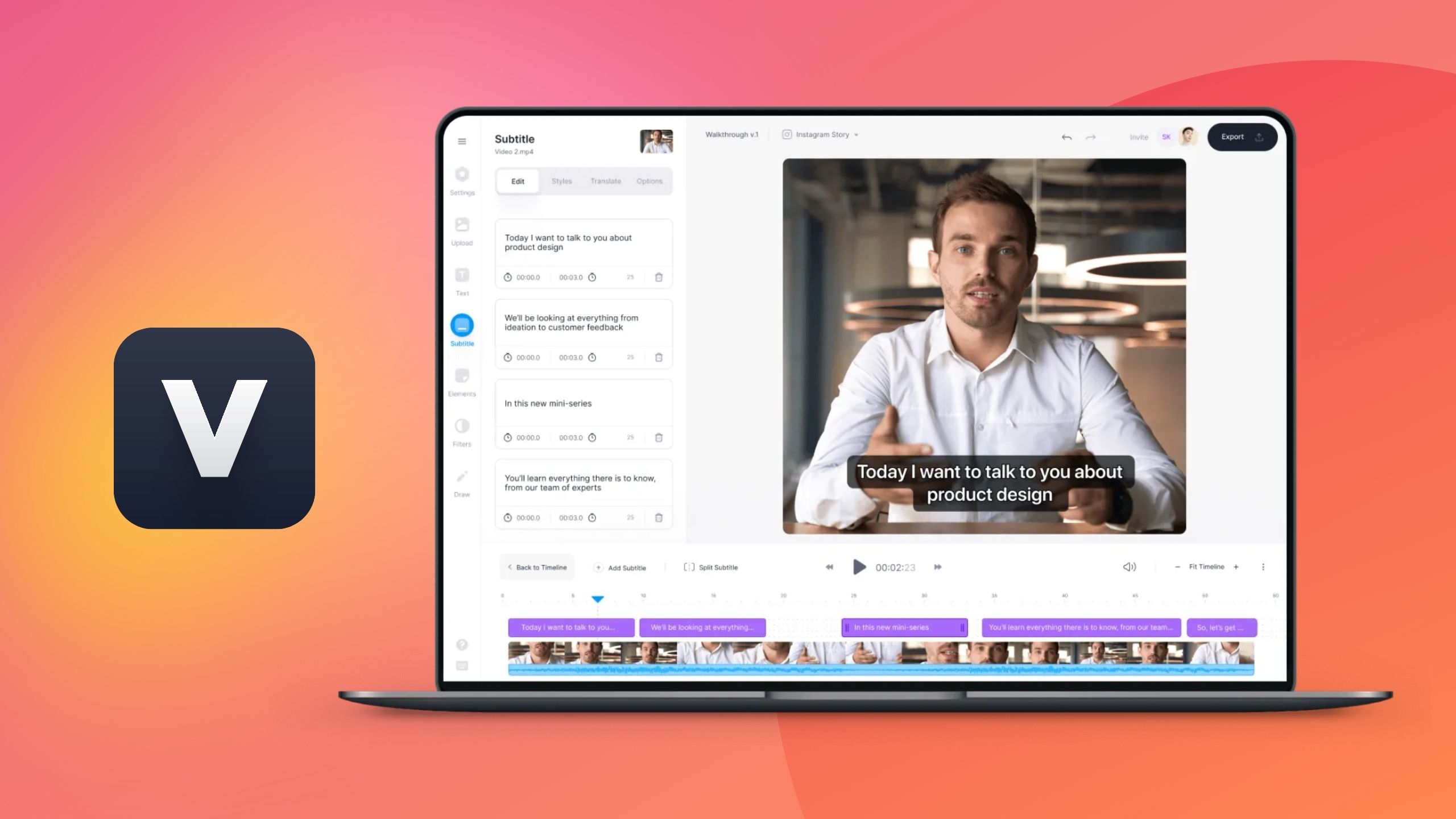
Once the batch is generated, an AI clip generator can trim longer cuts into captioned, social-ready shorts.
How Kling AI Performs in Real Use
Motion is where Kling earns its reputation. Human movement, crowd scenes, and complex physical interactions render with a level of believability that’s still rare in this category - most competitors hold composition for 8 to 15 seconds before things start to warp, while Kling tends to stay coherent longer.
It’s not flawless. Hands, in particular, remain a weak spot - and that’s true industry-wide, not a Kling-only problem. Got a scene with close-up instrument playing or fiddly object handling? Budget extra takes, because no platform on the market nails that reliably yet.
Prompt adherence is strong, particularly for cinematic language - camera moves, lighting direction, and scene composition translate accurately more often than not. That’s partly why Kling keeps showing up in award-winning commercial work: the model understands film grammar, not just literal keywords, which saves a lot of back-and-forth prompting compared to tools that need extremely specific phrasing to get the shot you actually want.
Kling AI Pricing
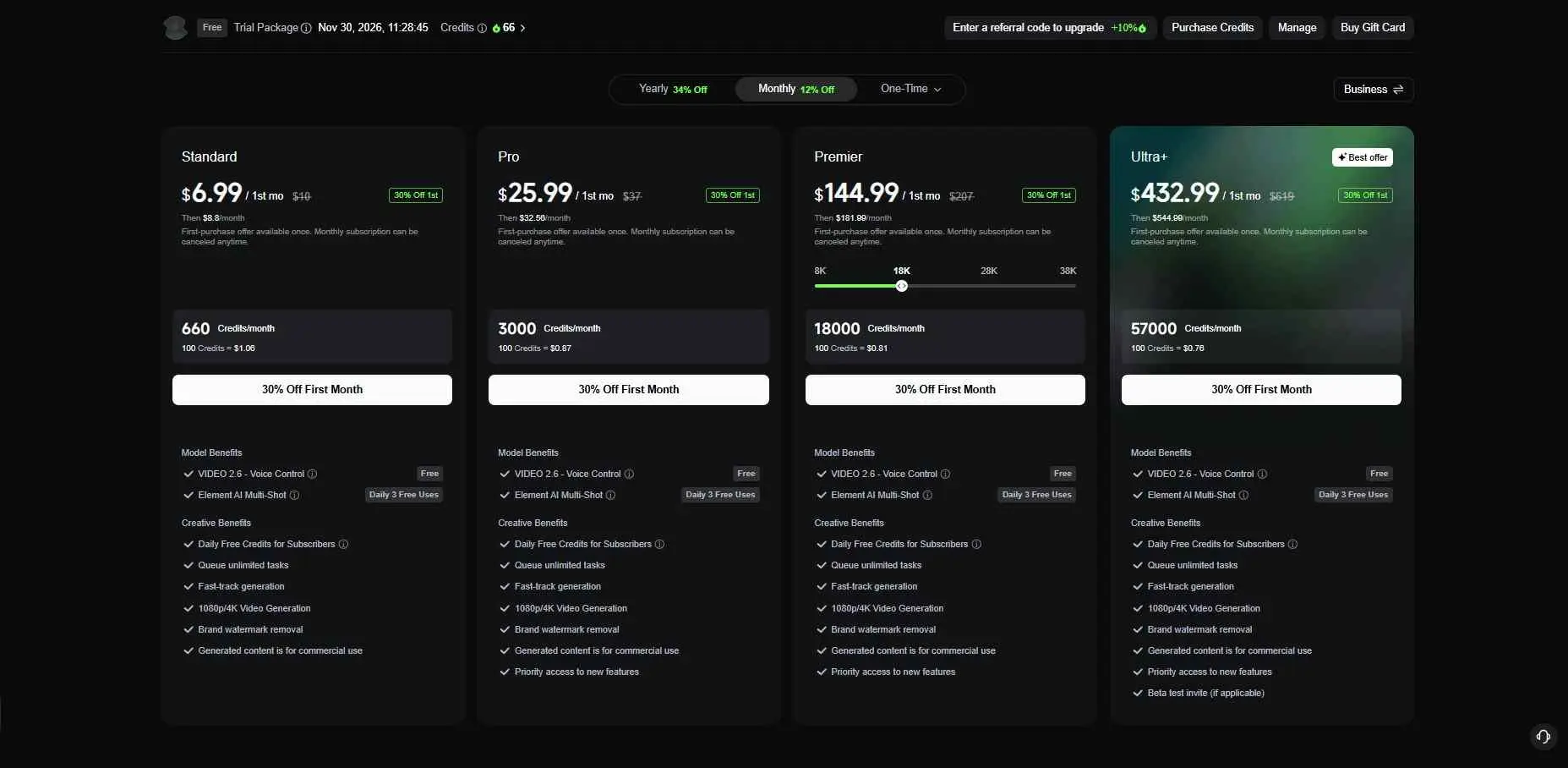
Kling runs on a credit-based system rather than flat per-minute pricing, which takes some getting used to but scales reasonably once you understand it. Different actions (longer clips, higher resolution, motion control) consume different credit amounts, so your actual cost per finished video depends heavily on what you’re generating.
Tier | Best For | What You Get |
|---|---|---|
Free | Testing the platform | Limited daily credits, core generation features |
Standard/Pro | Regular individual creators | Higher credit allowance, faster processing |
Ultra | Studios, agencies, high-volume use | Maximum credits, fastest processing, full feature access |
The free tier is genuinely generous compared to most competitors - it’s enough to seriously evaluate the platform before committing.
For up-to-the plan structures, promotional credits, and enterprise billing packages, visit the Official Kling AI Pricing & Subscription Page.
Free vs. Premium Tier Limits & Technical Specifications (Updated November 2026)
Plan | Credit Allowance | Max Resolution | Max Clip Length | Queue Priority | Commercial Rights | Price (1st Mo) | Renews At |
|---|---|---|---|---|---|---|---|
Free | 66 Daily Credits (non-rolling) | 720p / 1080p Standard | 5 Seconds | Standard | Watermarked / Personal Only | $0 | $0 |
Standard | 660 Monthly Credits | Native 1080p & 4K | 5s–10s Motion | Fast Queue | Watermark-Free / Commercial | $6.99 | $8.80/mo |
Pro | 3,000 Monthly Credits | Native 4K Cinematic | 10s + Extension Pass | High Priority | Full Commercial License | $25.99 | $32.56/mo |
Premier | 8,000 Monthly Credits (adjustable up to 38K via slider) | Native 4K | 10s+ | Instant/Ultra Queue | Full Commercial & Agency License | $64.99 | $80.96/mo |
Ultra+ | 26,000+ Monthly Credits (scales up to ~57,000) | Native 4K Master | 10s+ Multi-Clip Stitching | Instant Ultra Queue | Full Commercial & Agency License, API Access | $127.99 | $159.99/mo |
Real-World Use Cases
This is where Kling stops being a demo reel and starts looking like production infrastructure. A Kling-made short film, L’Ultimo Uomo Reale, won Silver and Bronze at the 2026 Cannes Lions festival.
On the commercial side, Kling powered a Longchamp brand film with studio Obsidian, and House of David on Amazon Prime became the first major Hollywood-adjacent production to publicly disclose AI video generation use at scale.
For e-commerce, Kling generates on-model showcases and product videos straight from product and model images - a practical application for fashion and beverage brands that need volume without a full shoot every time.
Brands needing a consistent on screen face for videos can actually check out AI influencer generators, which build a repeatable digital persona for social content and products pretty easily.
Pros and Cons
What works:
- Motion realism, especially for crowds and human movement, ahead of most competitors
- Native 4K image generation with genuine cinematic understanding
- Canvas gives you a full project workspace, not just a prompt box
- MCP/CLI access makes batch and automated production realistic
- Generous free tier for evaluation before you pay
What doesn’t:
- Fine detail (hands, intricate objects) still needs manual cleanup
- Credit-based pricing takes effort to predict at scale
- Built by a Chinese company (Kuaishou), which raises data-sovereignty and compliance questions some businesses will need to vet before adopting it commercially
- Official documentation leans heavily on Chinese-language sources, with English coverage thinner for advanced features
Kling AI vs Alternatives
Platform | Key Strengths | Where It Falls Short vs Kling |
| Runway Gen-4.5 | Mature ecosystem, strong editing tools | Higher per-clip cost, less consistent long-form motion |
| Google Veo 3.1 | Excellent cinematic quality via Vertex AI | No standalone consumer product |
| Pika 2.5 | Fast, accessible for casual creators | Less reliable for complex motion and longer clips |
If motion quality and duration matter more to you than brand polish, Kling is usually the better pick. If you’re already locked into Google’s or Runway’s ecosystem for other tools, the switching cost might not be worth it for marginal gains.
Data Privacy and Compliance
Kling is a Kuaishou product, built in China, and that’s a real factor for businesses handling sensitive client data or operating under strict regulatory regimes - not a footnote. This doesn’t make Kling unusable, but it does mean enterprise and agency users should check their own compliance requirements before routing client content through the platform, the same way you’d vet any third-party AI vendor.
Who Should Use Kling AI?
Kling AI review requests usually come from creators and small studios who need believable motion without a full production budget. It’s the strongest fit for ad agencies producing social and commercial video at volume, filmmakers experimenting with AI-assisted production, and e-commerce brands that need recurring product video content.
It’s a weaker fit for anyone who needs airtight data compliance guarantees out of the box, or who’s producing close-up, detail-heavy footage where hand and object accuracy can’t be fudged.
If you’re a solo creator just starting out, the free tier alone is worth the signup - a few generations will tell you if Kling’s style fits your workflow. For teams scaling production, the MCP/CLI layer and Ultra tier are where the real value shows up, cutting hours off a schedule instead of just speeding up one clip.
Final Verdict
Kling AI earns its growing reputation. The motion quality alone puts it ahead of most competitors, and Canvas plus MCP/CLI turn it into something closer to real production infrastructure than a novelty generator.
The trade-offs - fine-detail limits and the compliance question around its Chinese ownership - are real, but neither is a dealbreaker for most use cases. If you need video output that holds together past the first few seconds, Kling AI is worth testing on its free tier before you commit to anything paid.