 Table of Content
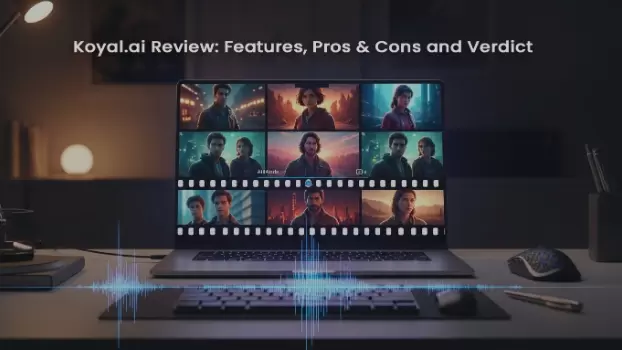
Koyal takes your audio or script and turns it into fully produced cinematic video content using generative AI — no camera crew, no studio, no manual editing. Whether you’re a podcaster, musician, storyteller, or marketer, Koyal aims to do the heavy lifting of video generation, so your ideas become visual stories with consistent characters, scenes, and even emotion‑driven pacing.
In simple terms, you upload an audio file (or script), and Koyal’s AI analyzes it to determine tone, context, and emotion — then builds visuals around it with agentic orchestration of multiple models in the backend.
The platform is currently in public beta, and early users — including music artists and filmmakers — are exploring how it dramatically cuts production timelines and technical overhead.
Key Features
Audio → end-to-end video
Koyal extracts emotion and narrative from an audio file (MP3, WAV) then generates a sequence of scenes and edits to match the tone and pacing.
Character & location consistency
The platform keeps characters and environments consistent across scenes (so your “hero” looks like the same person from shot to shot). This is aimed at avoiding the “model drift” problem many text-to-video tools have.
Agentic storytelling (automated direction & cameras)
Koyal makes higher-level directing choices — camera angles, shot duration, and scene transitions — so you don’t need to micromanage every frame. Great for rapid prototyping or low-budget production.
Personalization & avatars
You can create personalized avatars and integrate branded assets (costumes, makeup, location tweaks) to match your story or marketing needs.
Safety & secure personalization (CHARCHA)
Koyal documents an optional secure personalization protocol (CHARCHA) intended to manage identity/personalization safely — a signal they’re thinking about safety and consent for generated likenesses.
Cloud-based, fast turnaround
Everything runs in the cloud — no heavy local rendering or complex model stitching required, which shortens iteration time and lets teams produce films quickly.
Pros
- Ridiculously fast prototyping — You can go from audio to watchable video in minutes, which will be hugely empowering for testing ideas or content at scale.
- Cinematic content without the team — For creators with no crew or equipment, Koyal offers polished visuals and continuing characters that would typically require a production staff.
- Built on academic research / YC backing — The team’s research background and YC presence add credibility and suggest the product is technically ambitious.
- Safety-minded features — The CHARCHA protocol and stated safety focus are positive signs in an era where generated likenesses raise ethical questions.
Cons
- Early-stage product / limited track record — Koyal is new and still building its user base and integrations; expect rough edges and changing feature sets. Early reviews are positive but still sparse.
- Public pricing unclear / beta-first — The company is shipping a free beta, and detailed commercial pricing wasn’t broadly published when they launched, so long-term costs and limits are not transparent yet.
- Not a full video suite / possible export limits — It’s focused on turning audio into films — you may still want other tools (editing, asset management, deep analytics) for a full production workflow.
- Creative control tradeoffs — Agentic automation speeds things up, but if you want pixel-perfect control over every camera move or VFX detail, this kind of system can feel limiting. (That’s a product design trade-off, not a bug.)
However, what Koyal excels at is handling the storytelling foundation—emotion, pacing, and narrative flow. Understanding the core principles of visual storytelling can help you make smarter directional choices within Koyal's agentic framework, ensuring your generated videos feel intentional and compelling, not just automated.
Pricing (Coming Soon / Beta Pricing)
Koyal is currently available in public beta, meaning that many users can access the platform for free or early‑tier access while commercial pricing is still being developed.
At the moment, there isn’t a fully published pricing structure with defined subscription tiers. Instead, early adopters typically explore basic features during this beta phase while the team works toward launching paid options — likely involving tiered subscriptions or usage‑based credits once out of beta.
So if you’re curious, you can sign up at beta.koyal.ai and start experimenting without upfront cost today.
Alternatives
If Koyal doesn’t quite fit your workflow or if you want to compare tools, here are some alternatives in the broader AI video generation space:
Pika Labs
A user‑friendly AI video tool focused on quick video creation for social content — ideal if you want speed and simplicity over cinematic storytelling.
Runway
A more established AI based video creation platform that includes powerful editing, compositing and scene production tools for creators looking for a bit more hands on control.
Potion
If personalized video campaigns are what you’re priority, Potion specilize in AI face, voice and gesture copying expert to create all of those hundreds of unique video plays from a single custom template.
Where Koyal is more about narrative storytelling from audio, Potion excels at scalable personalization for sales, marketing, and support teams. Want to know more? Check out our complete Potion review here.
🎥 Other AI Video Suites
Tools like HeyGen, Synthesia, or Luma AI also offer AI video generation with varying strengths — from avatar creation to advanced motion tracking.
Choose depending on whether you prioritize cinematic storytelling, social content speed, or deep editing flexibility.
Is Koyal Worth It?
If your goal is to rapidly transform audio or scripts into narrative-driven video — especially for music videos, podcast visualizations, or quick film prototyping — Koyal is an exciting, practical option.
That said, it’s an early-stage product: pricing and enterprise features are still settling, integrations are limited, and you’ll trade some micro-control for speed. If you rely on a mature, fully integrated pipeline (detailed analytics, deep VFX, or a full CRM/asset stack), you’ll likely keep other tools alongside Koyal.
Practical call: try the free beta with one real project (a single podcast episode or song) and evaluate the output quality, export options, and time-savings before committing to scaling it across your content pipeline.
Frequently Asked Questions :
What input files does Koyal accept?
Koyal works from audio and scripts — commonly MP3/WAV uploads or pasted narration/scripts. Always check the upload page for the latest supported formats.
Can I use Koyal videos for commercial projects?
Usually yes, but licensing varies by platform and tier — verify Koyal’s terms of service and commercial-use policy before publishing paid work or client deliverables.
How much creative control will I have over the final video?
You get style, character, and scene controls plus high-level direction choices, but it’s more “agentic” automation than frame-by-frame editing. If you need pixel-perfect VFX, plan to finish exports in a conventional editor.
Is likeness and consent handled safely?
Koyal has safety-focused personalization features (their protocol aims to manage identity and consent), but you should still obtain explicit permission to use real people’s likenesses and read their safety/privacy docs.
How do I edit or integrate Koyal outputs with other tools?
Koyal exports standard video files you can import into Premiere/Final Cut/DaVinci; integrations are limited right now, so expect to use a separate editor for heavy post-production or asset management.