
 Table of Content
Your resume has about six seconds. That’s roughly how long a recruiter will spend with it before deciding whether to read more or move on. Six seconds. And that's if it even makes it past the ATS (Applicant Tracking System) filter, which most don't.
AI resume builders were built for exactly this problem. Not to just create a resume for you - but also to ensure the right structure, right keywords, and the right formatting is followed so that you are not getting filtered out before a human even sees your name.
In this guide, we break down the best AI resume builders today, what really matters in choosing the right AI resume builder, and how to best use these tools and without making your resume appear like it was written by a bot.
Why AI Resume Builders Matter in 2026
Faster Job Applications
The hiring process is faster, stricter and less forgiving now, which makes AI resume builders more useful than ever. Job seekers applying for multiple jobs simultaneously aren’t going to spend hours on end rewriting every resume from scratch. It speeds up a time-consuming process, and helps deliver a more persuasive version of your resume in less time.
Smarter Tools for a Competitive Market
In a crowded job market, that kind of support is useful. Job seekers need smarter tools now, not just prettier templates. The best AI resume builders do not replace your experience - they help you present it better, faster, and in a way that gives you a better shot at getting noticed.
Help for People Who Struggle With Writing
Another reason these tools matter is simple - not everyone is a good writer. Others have real experience but can’t seem to translate it into clear, clean resume language. AI can help tighten weak bullets, improve structure, and make your achievements sound more professional without starting from zero.
What to Look for in an AI Resume Builder
ATS-Friendly Formatting
Where most people get tripped up is here. A resume with two columns, a sidebar, icons, and embedded graphics might look impressive in PDF form. To an ATS, it looks like noise. Key information gets misread or missed entirely. Look for tools that default to clean, single-column layouts and warn you when your formatting choices could cause problems downstream.
AI Content Quality
There's a big difference between a tool that suggests "managed a team" and one that pushes you to say "led a team of 8 engineers through a product launch that shipped three weeks ahead of schedule." The first is filler. The second is an attention grabber. The quality of AI suggestions varies more than you'd expect between tools - some are genuinely helpful, some are just autocomplete dressed up as intelligence.
Customization Options
You should be able to rearrange sections, add non-standard blocks, and override every suggestion the AI makes. Tools that fight you over your own resume are exhausting.
Industry-Specific Templates
Healthcare, finance, design, engineering - these fields have different conventions and different expectations. A template built for one doesn't always translate well to another. If you're in a specialized field, check whether the templates actually reflect how resumes in your industry look.
Pricing & Free Plans
The free tier is almost always more limited than advertised. Some tools let you build a complete resume for free but lock PDF export behind a paywall. Others give you one free download, then charge for every revision. Know what you're actually getting before you invest time building something in a tool you haven't paid for yet.
Top AI Resume Builders For 2026
Check out the top AI resume builders of 2026. The best option depends on whether you need better writing, stronger ATS support, or faster resume customization.
1. Resume Worded
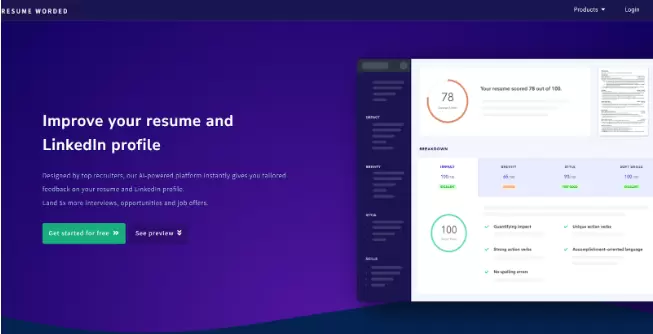
Resume Worded is not a traditional resume builder. It’s more like a critic. If you already have a resume, this tool tells you what’s wrong with it. It scores your resume and gives direct feedback.
What makes it worth including here is the LinkedIn grader. Most tools only look at your resume. Resume Worded looks at both together, which is how recruiters actually evaluate you.
Features:
- AI-Powered Rewriting
- Line-by-line suggestions
- Detailed, granular feedback on every section
- Compares your resume against specific job descriptions
Pros:
- LinkedIn Profile Enhancer
- improves existing drafts faster
- ATS Optimization
- LinkedIn & Cover Letter Support
Cons:
- Won't help you build from scratch
- Needs another tool alongside it
- Billing and Support Issues
Price:
- Free basic plan
- Monthly $49/month
- Quarterly $33/month (Most Popular - 30% Off)
Best For: Targeted Job Optimization
2. Kickresume
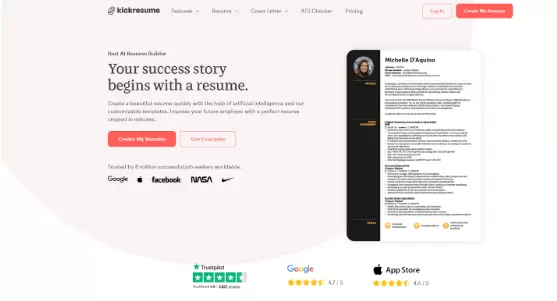
Kickresume is closer to what most people expect from a resume builder. It combines templates, AI writing, and examples. Good balance between ease and control.
The AI writing assistant generates bullet points from your job title and responsibilities, which is helpful when you know what you did but struggle to phrase it well.
The cover letter builder is a real feature, not an afterthought. This distinguishes it from many rivals.
Features:
- AI Writer that can generate a resume draft from your job title and target role.
- 40+ customizable resume templates.
- AI cover letter builder and resume examples.
Pros:
- Good mix of AI help and template control.
- Free resume creation is available.
- Strong for users who want a quick polished draft without starting from zero.
Cons:
- Advanced customization is tied to paid options.
- It is stronger as a builder than as a deep resume critic.
Price:
- Free to use for basic resume creation
- Premium starts at $8/month
Best For:
- Fast resume creation.
- Job seekers who want AI writing plus decent design control.
- People who also need cover letters.
3. Zety
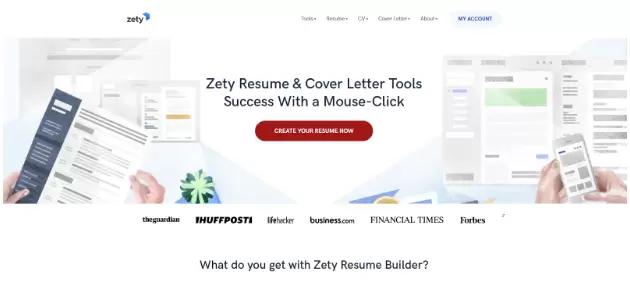
Zety has been around for years. It’s reliable, but not exciting. It guides you through the process of creating a resume, step by step. The structure is actually reassuring for someone who has never built a professional resume before.
The limitation is the same thing that makes it approachable - it's structured to the point of being rigid. If you want to do something unconventional with your layout or content order, Zety will push back.
Features:
- Guided resume builder with templates and expert tips.
- Resume and cover letter tools.
- Download options are part of the paid flow.
Pros:
- Very beginner-friendly.
- Easy to follow step by step.
- Good for people who want structure instead of endless choices.
Cons:
- Free use is limited.
- Downloading the finished resume requires payment.
Price:
- Free basic plan.
- Pro plan starts with a $1.95 14-day trial, then renews at $25.95 every 4 weeks.
- Annual plan is listed at $5.95/month billed upfront.
Best For:
- Beginners.
- Users who want a guided resume builder with minimal confusion.
4. Enhancv
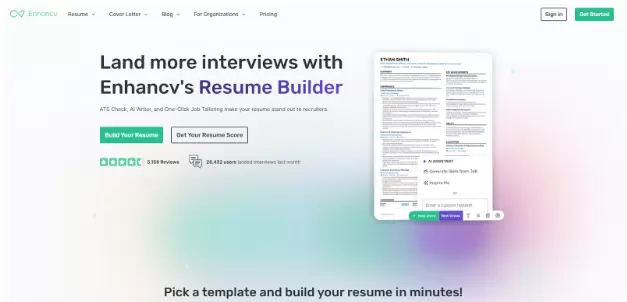
Most resume tools focus on tasks. Enhancv focuses on achievements, which is a meaningful philosophical difference. It gives you more personality in your resume without completely breaking ATS rules. The AI actively prompts you to quantify your impact and tell a story, not just list responsibilities. The result, when done right, is a resume that reads like a person's career - not a job description copy-paste.
The visual layouts are distinctive. Some industries will love them. Others - law, finance, government - may find them too informal. Know your audience before committing.
Features:
- AI resume objective generator.
- AI resume feedback with ATS scoring.
- Hundreds of ATS-friendly templates and many section combinations.
Pros:
- Strong balance of design and optimization.
- Transparent pricing.
- Good for resumes that need personality without looking messy.
Cons:
- More design-forward than some ATS-first tools.
- Not the cheapest option if you only need a simple resume.
Price:
- Free plan available
- Monthly: $24.99
- Quarterly: $49.97
- Semiannual: $79.94
Best For:
- Users who want customization and strong presentation.
- Candidates in creative, modern, or brand-conscious roles.
5. Teal
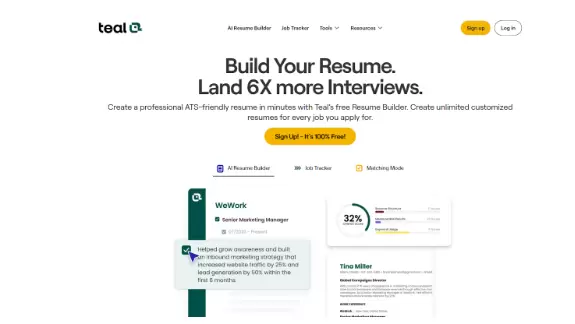
Teal is not just a resume builder. It’s a job search system. It can help you track jobs, tailor your resume and manage applications. Their Chrome extension allows you to save job postings directly from LinkedIn or Indeed.
For someone actively applying to 10, 20, 30 roles at once, Teal is the closest thing to having a system. The resume builder itself is functional but not design-forward. Think of it as an infrastructure, not as a creative tool.
Features:
- Unlimited free resume building, editing, and export.
- Match Score and job description keyword matching.
- Resume bullet point generator and job tracking tools.
Pros:
- Excellent for tailoring resumes to specific jobs.
- Free tier is genuinely useful.
- More useful as a job search system than a plain builder.
Cons:
- Not built around flashy design.
- Best value comes when you actively use the tracking and matching features.
Price:
- Free forever for core tools.
- Teal+ is listed at $13 per week.
Best For:
- Applicants sending out many tailored applications.
- People who want resume building plus job tracking in one place.
6. Rezi
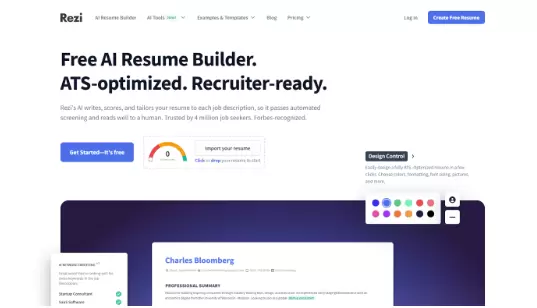
Rezi focuses heavily on ATS optimization. It’s built for performance, not looks. You paste a job description, and Rezi tells you what keywords your resume is missing and scores it against that specific role. The feedback is data-driven and direct.
The tradeoff is that your resume will look functional rather than beautiful. If you're applying to roles at large corporations where ATS filtering is aggressive, that's a reasonable tradeoff. If design matters in your field, look elsewhere.
Features:
- AI-based resume builder with ATS-friendly templates.
- AI credits, resume review, and job tracking tools.
- Lifetime access option is available.
Pros:
- Very strong for ATS optimization.
- Clean, practical approach.
- Lifetime plan is useful for long job searches.
Cons:
- Less focused on visual flair.
- Better for performance than design.
Price:
- Free plan available.
- Pro: $29/month.
- Lifetime: $149 one-time.
Best For:
- ATS-first job seekers.
- People applying for corporate, technical, or operations roles.
7. Resume.io
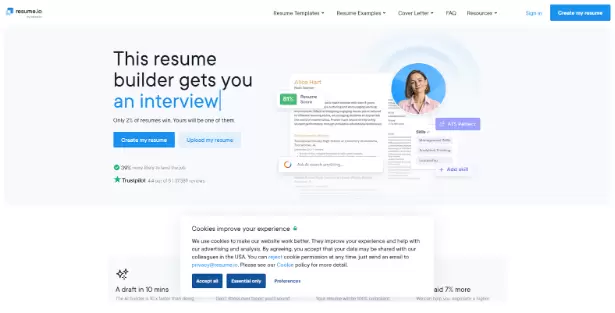
Resume.io is built for speed. Overall, this will help you to not overthink anything and quickly make a clean resume. The editor is simple and straightforward and you can get a good, presentable resume in under 30 minutes.
For in-depth keyword analysis or extensive writing support, you’ll need something more robust. But if you just want a nice-looking resume quickly and don’t want to learn a complicated interface, Resume. io is ones out there.
Features:
- AI resume builder with ATS-friendly templates.
- Pre-written phrases, job matching, and real-time feedback.
- AI cover letter writer and interview prep tools are also available.
Pros:
- Fast and straightforward.
- Good all-in-one workflow.
- Strong ATS support.
Cons:
- Free use is limited.
- Full access requires a paid plan.
Price:
- Free option available.
- 7-day trial starts at $2.95, then auto-renews to $29.95 billed every 4 weeks.
Best For:
- Users who want a fast resume builder with ATS support.
- People who prefer a simple, polished workflow.
8. AIApply
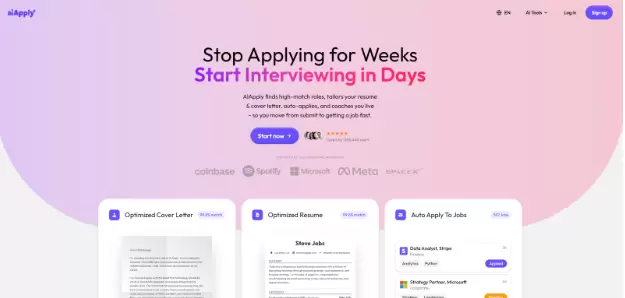
AIApply goes beyond resumes. It combines resume writing with job applications and automation tools. For someone running a serious, high-volume job search, the time savings are real.
The risk is the same one that comes with all automation: if you let it run without reviewing the output, your applications start to feel mechanical. Hiring managers can tell. Use the automation to speed up the process, not to remove yourself from it entirely.
Features:
- AI resume builder that tailors resumes to job descriptions.
- GPT-4 powered resume writing.
- LinkedIn import, resume scanner, cover letter generator, translator, Auto-Apply, and interview prep.
Pros:
- Broad job search workflow in one place.
- Strong for users who want to build and apply faster.
- Free tier exists without requiring a card.
Cons:
- Can feel like too much if you only want a resume builder.
- Auto-apply features are an extra layer, not the core builder itself.
Price:
- Free tier available.
- Premium subscription is available monthly or annually.
- Auto-Apply credits are sold separately.
Best For:
- Active job seekers applying at scale.
- Users who want resume help plus application automation.
9. MyPerfectResume
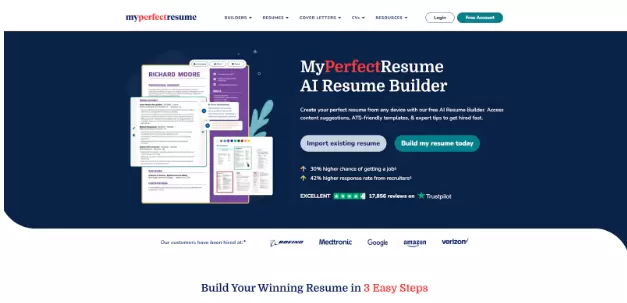
MyPerfectResume is a classic resume platform with AI added on top. In a structured format, it provides templates, suggestions and guidance. For those who simply don't know how to articulate their experience, this library is useful.
look of the interface is a little dated, and some of its pre-written suggestions belong to the "off-the-rack" class. However, for entry-level job seekers or people who intend to take a different career path and need an entry point, it does what needs doing.
Features:
- AI Resume Builder with content suggestions.
- 40+ ATS-friendly templates.
- ResumeCheck, resume examples, and cover letter tools.
Pros:
- Friendly for beginners.
- Good if you want templates plus guided writing.
- Strong for users who like structured support.
Cons:
- The best downloads and full features sit behind paid access.
- It is more guided than flexible.
Price:
- 14-Day Premium Access: $2.95, then auto-renews at $23.95 every 4 weeks.
- 1-Year Premium Access: $7.95/month billed yearly.
Best For:
- Beginners who want step-by-step help.
- Users who want templates, AI suggestions, and ATS-friendly formatting.
10. ResumeBuild.ai
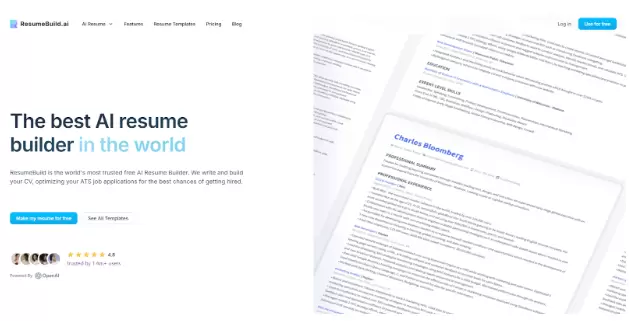
ResumeBuild.ai is the newest entry on this list, built from the ground up around AI-first workflows. It generates content, scores your resume against job descriptions in real time, and provides optimization feedback as you build rather than after. The experience feels more integrated than tools that added AI features on top of an existing product.
Newer means a shorter track record, though. It's worth trying, if you're comfortable with a newer platform; but know that it hasn't passed near the scaling tests of more established tools.
Features:
- AI GPT resume builder with real-time content analysis.
- Keyword targeting and ATS-optimized templates.
- Bullet generation, summaries, cover letters, import tools, and free PDF download.
Pros:
- Strong AI editing and optimization features.
- Useful if you want help cleaning up weak content fast.
- Free plan is available.
Cons:
- Heavy AI use means you still need to review wording carefully.
- Best results come when you already have real experience to work with.
Price:
- Free basic plan
- Pro: $29/month
- Lifetime: $129
Best For:
- Users who want strong AI rewriting and ATS support.
- Job seekers who need a fast cleanup, not a blank-page solution.
How to Use AI Resume Builders Effectively
The biggest mistake people make with these tools is treating them like a vending machine. You put in your job history, you pull out a resume, done. That's not how you get results.
Start with your own material. Write down your key accomplishments, the tools you've used, the results you've delivered. The AI needs something real to work with - it can polish language, but it can't manufacture experience.
Use AI suggestions as a first draft. Use the AI suggestions as a first draft, not a final one. Read every bullet point it generates. Ask yourself: is this actually specific to me, or could it describe anyone with this job title? If it's the second one, rewrite it.
Customize for each application. The keyword gap tools in Teal, Rezi, and similar platforms exist for a reason. Job descriptions tell you exactly what the hiring team cares about. Match your language to theirs - without fabricating anything.
Let AI handle optimization. It's better than you at spotting keyword gaps and formatting issues. It's worse than you knowing which details from your career actually matter. Play to both strengths.
Common Mistakes to Avoid
Accepting AI output without editing is the most common one. It creates a resume that sounds like everyone else who used the same tool. Sameness is the enemy of getting noticed.
Sending the same resume everywhere. Blanket application with one generic document is a time-waster dressed up as productivity. Even small changes - adjusting your summary, reordering your skills - can meaningfully improve your hit rate.
Ignoring ATS keywords entirely. Some job seekers resist keyword optimization because it feels unnatural. But if the system filters you out before a person sees your name, the quality of your writing doesn't matter.
Prioritizing design over readability. A creative resume format that your dream company's ATS can't parse is a beautiful failure. Unless you're handing your resume directly to a person, clean beats clever.
Skipping proofreading. AI tools make grammatical mistakes, use awkward phrasing and occasionally generate content that is simply at odds with your actual experience. Read the whole thing, out loud if possible, before it goes anywhere.
Are AI Resume Builders Safe and Reliable?
The question of privacy deserves your attention. When you use these utilities, you are uploading a lot of highly detailed personal and professional information - to a third-party platform. Most respectable services at least have clear and explicit privacy policies which promise not to sell your data, but "most" is not "all." Read the policy: especially those parts dealing with data storage and third party sharing before uploading something sensitive anyhow.
On reliability - treat every AI suggestion as a strong opinion, not a fact. These tools are pattern-matching engines. They're good at recognizing what strong resumes in your field tend to look like.
They're less good at understanding the specific context of your career, the nuances of your industry's culture, or whether a particular phrasing actually represents your work accurately.
The practical rule: trust the AI on structure, formatting, and keyword suggestions. Apply your own judgment on everything that touches tone, accuracy, and how you're actually representing yourself to employers.
Final Thoughts
No AI resume builder will land you a job by itself. What these tools do - when used well - is remove the avoidable obstacles. Formatting that breaks ATS. Keywords you didn't think to include. Bullet points that describe tasks instead of outcomes. That's meaningful help, and it's worth using.
Pick a tool based on where you actually are. Building from scratch for the first time? Zety or MyPerfectResume will walk you through it. Managing a heavy application load? Teal keeps you organized while AIApply speeds up the tailoring. Applying to large corporations with aggressive ATS filtering? Rezi is built for exactly that.
Just remember: the tool prepares the document. You're still the one being evaluated.